What is Prompt-to-App? How Plain English Became a Way to Build Real Software?
For years, one question has decided whether your ideas could turn into reality: Can you code? If you know how to code, you can build the app. If not, you waited for a developer, creating delays and gatekeepers.
That question is now being replaced by a different one: Can you describe what you want clearly? With AI assistants able to produce code, coding skills have become less important, and the new limiting factor is the ability to explain the problem and desired behavior clearly to an AI model. You no longer need to worry about coding syntax, but you have to be precise about requirements, constraints, and intent.
The term “vibe coding”, introduced by Andrej Karpathy in 2025, defines this as using AI to handle the technical side of creating an app while you describe the feel of it. It is useful for quick prototypes and demos. But vibe coding to a demo, and describing your way to secure and scalable software are two different things. The second one is what “prompt-to-app” helps you do.
What does “Prompt-To-App” Actually Mean?
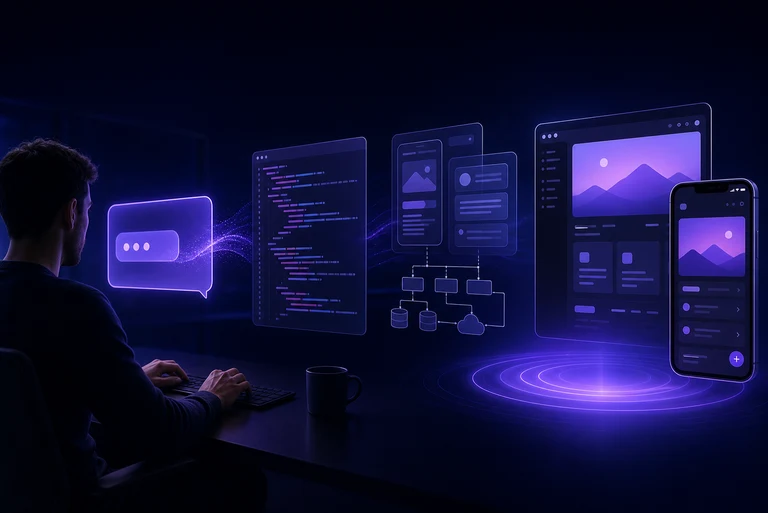
The core idea behind the “prompt-to-app” platform is to write or explain what you want in plain English, and you get a real app in a few steps. You aren’t going to get a mockup app or a plan to build an app with this platform. You get an app that actually functions, carries a use case, and can be shared with others. :
If it sounds like something you’ve already seen or heard, let us clarify what this platform is not about. toPrompt is not a chatbot that answers your questions and talk with you. It doesn’t help you write code faster by suggesting the next line. Prompt-to-app is not a code builder that provides drag-and-drop tools.
No-code lowered the bar from “write code” to “configure a builder but our platform lowers it further by bringing it to “describe what you want.” To make it even simpler, Copilot helps you write code, but Prompt-to-App writes the app.
For example, you just write like you’re talking: “I need a shopping app where people can browse products, add to cart, and buy.” That’s it, no other coding terms needed. AI creates the visual screens and builds the menus and links by writing the code. Instead of waiting for weeks and months to develop, you get an app almost instantly.
How Plain English Became A Way To Build?
This isn’t a new idea, and it has been in existence ever since computers existed. Every generation of programming has been about giving people a way to control a computer without speaking its native language.
No-code tools dropped the syntax requirement completely, letting you assemble an app by dragging and configuring instead of typing code. AI copilots then stayed within the code itself, finishing your thoughts as you typed them. Prompt-to-app is the next level, where you don’t write or configure anything. You just have to describe what you need.
Every step in programming history made a trade-off. At each step, we gave up some control in exchange for speed, and every time, that trade widened who was allowed to build. What’s different about the level where we use plain English to build an app is that you don’t have to think in a structured or computer-friendly way.
Prompt-to-app is a platform where you provide inputs just like how you talk to others. That’s only possible because LLMs can do something no tool could do earlier. It broke the barrier of translating your thoughts into terms that a machine would understand. Using toPrompt, you no longer have to think like a programmer to get an app built.
How Does It Actually Work Under The Hood?
Saying “it builds the app” is too simple because many important things are happening behind the surface that you need to understand.
Interpreting intent from the prompt:
The first job of AI isn’t writing code. It is figuring out what you actually meant. So you should be specific about your goals, or AI will make wrong guesses. Take your time to think about what problem your app solves, who your target audience is, and what the core features of the app are before prompting. Because if AI misinterprets what you want, the development might go wrong.
Generating architecture, code, UI, data layer, and auth:
Once AI understands what you want, prompt-to-app builds the complete app, including visible screens and the layers underneath it. The app has 5 layers in it: UI, Code, Data Layer, Auth, and Architecture. Most demos only show pretty screens, but a real app needs a database, a login, and security. This is what makes the app actually work as it is expected to.
Iterating and Refining:
The older way to “redo” software was to go back to a spec document and rewrite it. But in the prompt-to-app platform, you just have to say what’s wrong. For example, you built an app by saying, “Make a sales dashboard,” and you realize something’s wrong. Now all you have to do is explain to AI, “Make the dashboard show weekly numbers, not daily.” AI understands what to change and adjusts the existing app. The final output will be a real, working interactive interface with actual code that can be used in production.
Where humas still steer:
None of this means you have no role to play. You decide the edge cases and business logic that’s specific to how your company works. The platform handles the mechanical work of turning intent into a working system, and you are in control of deciding what’s right for your business.
What Can You Realistically Build Today?
Let’s be honest about what the prompt-to-app platform can actually do for your business right now.
The 4 best use cases:
Internal tools:Apps your team uses inside your company that are not for customers. Prompt-to-app can be now go to tool for teams to build apps that help them collaborate and work better.Examples:
An inventory tracker
Approval workflow where employees raise requests, and the manager approves
Simple CRM where your team can track customer contacts and sales
Dashboards:Prompt-to-app is a clear win for visual screens showing data like charts, graphs, and numbers. They’re perfect for building dashboards that pull data from multiple sources into one view and update automatically.
MVPs and Prototypes:If you are trying to test versions of your app or minimum viable products, then toPrompt is something you should not miss. Our platform allows you to test if an idea works or not and get a functional app in hours instead of weeks.
Customer-Facing apps:You can also build simple customer-facing apps like booking tools and account portals. Prompt-to-app is best for small businesses that cannot afford custom builds.
Where it’s honestly still got edges:
The 3 situations where you still need a developer.
Complex and multi-system integrations: Your new app needs to connect to three old systems that were never designed to work together.
Heavily regulated and high-stakes domains: toPrompt is not for building apps where mistakes can cause huge damage, such as medical devices and government systems.
For novel business logic: Prompt-to-App is not suitable for something completely new that no one has built before, or a unique workflow no one has tried yet.
Prompt-to-App Is Best For
People who benefit the most from using the Prompt-to-App platform.
Founders/domain experts who couldn’t build before:
Our platform is the best for people starting businesses with ideas but no technical skills. If you’re someone who deeply understands a specific field but is not a programmer, like a clinic owner or logistics manager, Prompt-to-App has got your back. A 2026 survey from Vercel found that 63% of users are non-developers, meaning they’re the majority and not a niche group.
Product & ops teams shipping without a backlog wait:
Prompt-to-App is one of the platforms that allows product and ops teams to build and launch tools immediately without waiting for developers. Small quality tests require just a few hours and not engineering sprints that last for weeks.
Engineers use it to skip boilerplate:
Developers use prompt-to-app to avoid writing repetitive and boring code – so they can focus on interesting or more challenging problems. It helps them accelerate the development process without compromising the quality.
Building software with Prompt-to-App is less about who has technical skill and more about who understands the problem well enough to describe it.
The catch – “generated” isn’t the same as “production-ready”
AI can build apps that work, but that doesn’t mean that those apps are good enough to run your business on.
Even if the generated code runs the first time perfectly, it might be messy underneath with duplicated logic or inconsistent patterns. You need a human engineer to flag the underlying issue.
The app may look secure and fine until something goes wrong. You need to know answers to questions such as who owns the generated code and whether you can modify it without the tool.
Clarity is important in such matters because you don’t want to find out the answer the day you need to switch vendors. Doing heavy load testing before launch will help you know if the app works perfectly or crashes during a weekend spike. Understanding the generated code because bugs are common, and you have to fix them yourself when needed.
The enterprise distinction:
A generated app proves your idea works and is good for testing. However, there is a real difference between an app that’s generated and one that is deployable for a business. A deployable app is one you can actually put your name on and hand to a customer, believing that it will work seamlessly a year from now.
Where Does toPrompt Fit?
Prompt-to-app is powerful but not perfect yet. The clarity of your prompt impacts results. So, learning to communicate intent clearly is a new skill you need to practice. AI handles UI generation, frontend, and basic features.
But it struggles with complex server-side logic and database schemas. You need a developer to handle complex backend stuff in such situations. However, even with these limitations, the iteration speed of prompt-to-app is unbeatable and something you couldn’t get with any other tool.
Conclusion
Plain English is a real build interface now. Getting an app that works is no longer the hard part. But the question worth asking is whether AI is capable of building apps that survive contact with a real business.
That’s genuinely a good shift. Ideas that used to die in a backlog can now ship in a few hours. But speed creates a new problem, as quality governance becomes one of the hardest parts of the job, not the easiest.
If you want to see what you can build just by describing what you want, Prompt-to-app is worth giving a try.